


How to Unlock Accounts / Reset Passwords in ADS

Dec 07, 2022
 82
82
How to unlock account and reset password (ADMIN Only)
Search for user by expanding the User Search window

Here you can search by username, first or last name. Be sure to check the box to include deactivated users

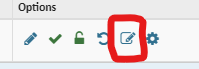
If user just needs account unlocked, click on the red check mark and red lock to unlock and reactivate account. (in screenshot they are green because the account isn’t locked out or deactivated)

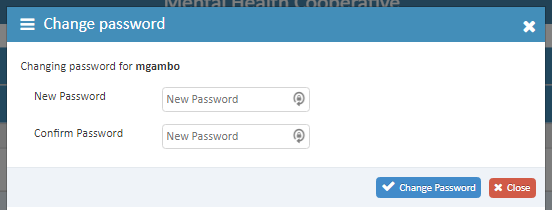
If the user needs the password reset, you can generate a random password and click on the pencil with a box icon and fill out a new password
Password Generator: https://www.lastpass.com/features/password-generator

