


 1175
1175
Unlock account (admin only)
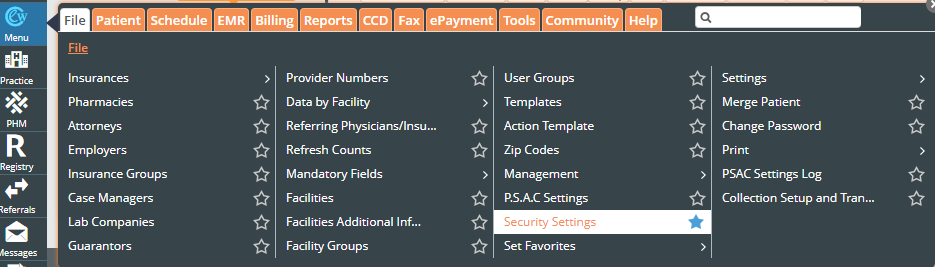
Log in to eCW, click Menu, then File, then click the star next to "Security Settings" to set it as a favorite:
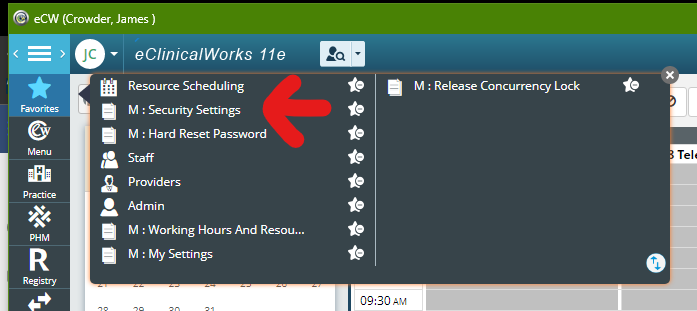
Click "Favorites", then "M: Security Settings"
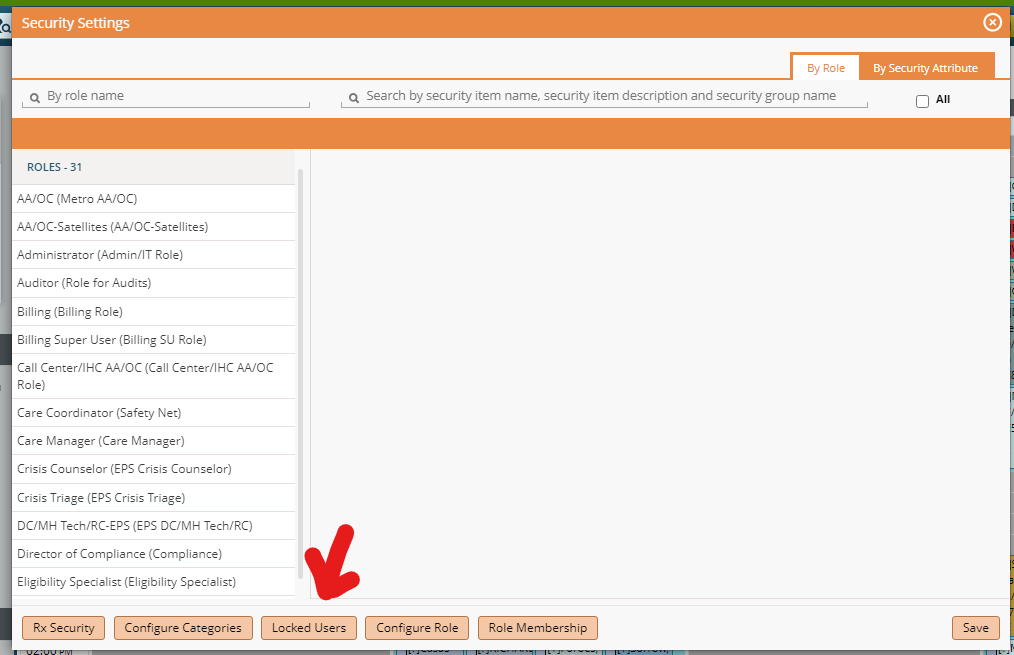
Then click on locked users at the bottom
Click on user then click unlock user at the bottom. Users that are locked out for inactivity will need the drop-down in the top right changed to No Activity. It defaults to user locked out for wrong password. 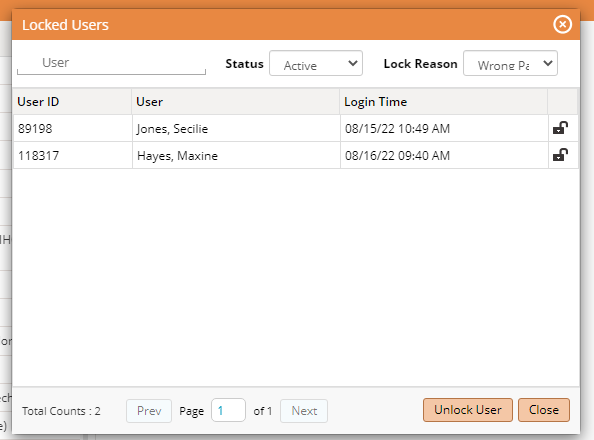
Reset password (admin only)
To set Favorite, Click Menu, then File, then Settings, and click the star next to "Hard Reset Password"
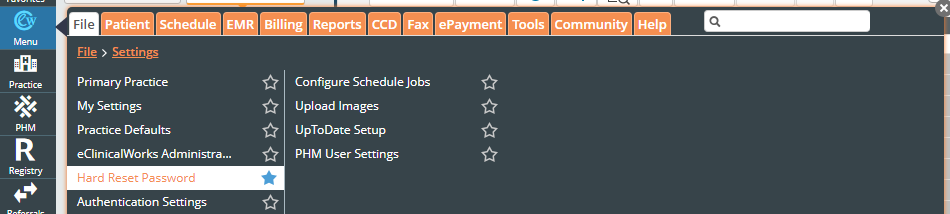
Select Hard Password Reset from the Favorites
Search user by last name
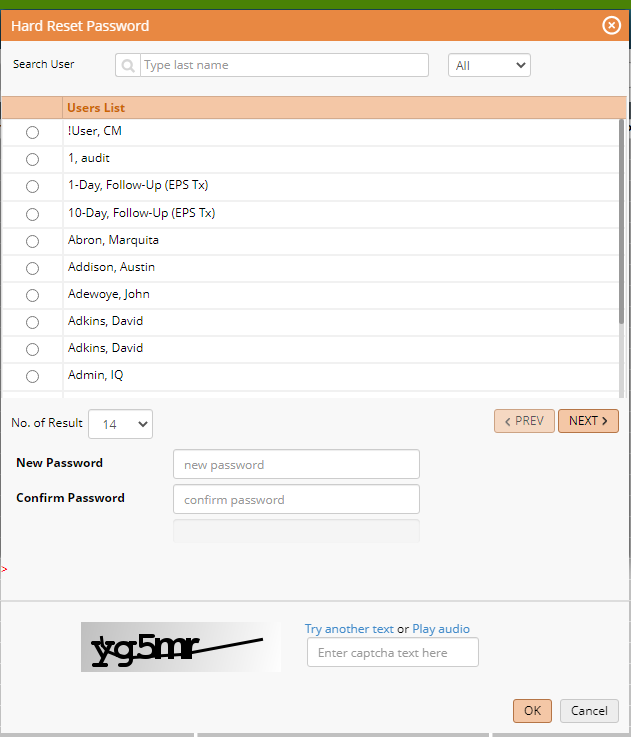
Make new temporary password:
https://www.lastpass.com/features/password-generator
and enter captcha. Be sure that the randomly-generated password does not contain “&”
Advise user that the password is changed and that it will prompt them to change the password, and that the “old password” is the one that you changed it to.

